
Here's a small script to freeze dependency versions in Compose. You're going to save valuable time!
Some explanations before embarking on the sharpness of the subject.
In the development phase
When you use compose to manage the dependencies of your project during the development phase, the versions are usually « dev-master » or « stable ». Like this, every compose update, you force updates and are on the page. Useful to quickly detect a bug but also benefit from all new updates.
In production phase
When producing your project, it is recommended to manage WP versions and plugins differently. This in order to facilitate maintenance and tracking of WordPress updates.
As a result, the idea will be to « freeze » versions in compose.json, because otherwise a compose update Will update everyone. Which is the goal.
All in video
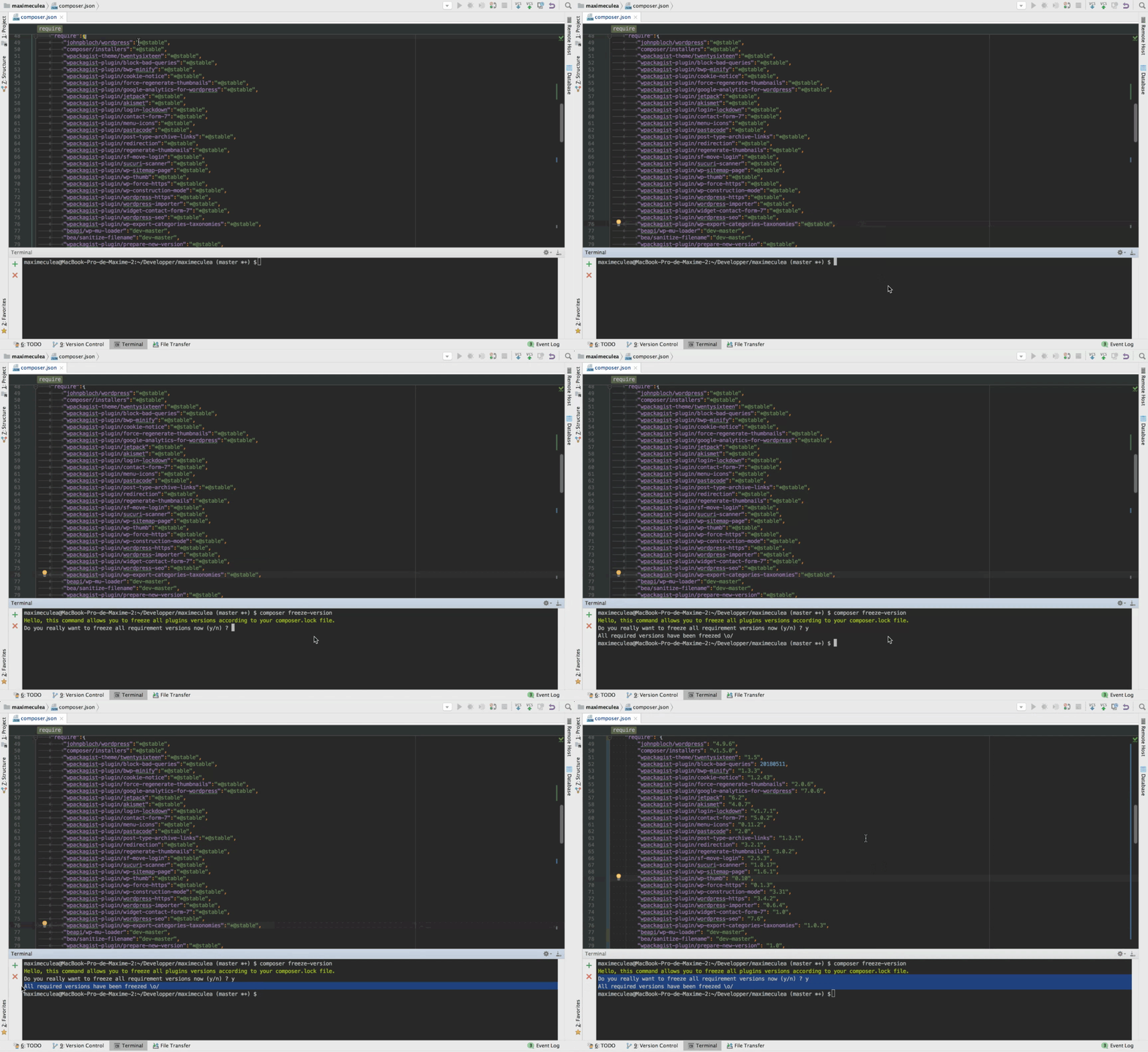
The birth of a script
During R&D, Julien Maury and Clement Boirie So we concocted a small script ( compose freeze version ) to freeze versions in compose.json. The latter retrieves the latest versions from the composer.lock and will transcribe them into the composer.json. This works for all dependencies: themes, mu-plugins, plugins and WordPress core.
This script saved us a lot of time! And since it did not yet exist on the internet, we found it interesting to share with you in open source.
1. Add script to your project
Just add the script as a dependency of your project:
2. Use script
Easy as pie!
3. The little plus
See this article to repeat the manipulation in the other direction.
Did you easily manage to set it up? Is it simple to use? Did you buy time?
Tell us everything in the comments.
Enjoy!